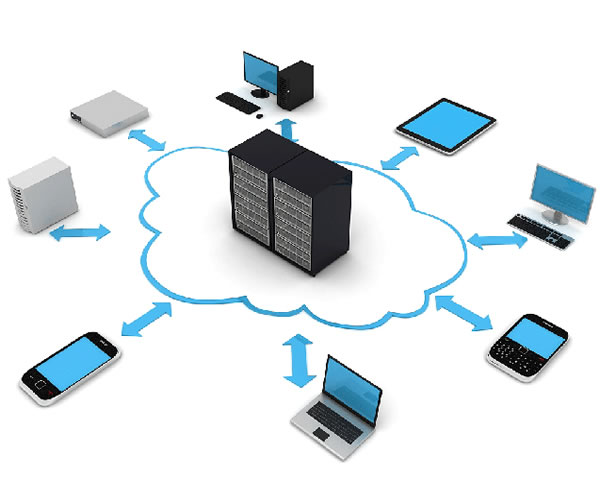
Introduction: This article, with the theme of "Quick Setup Tutorial for Japanese Bioinformatics Servers for Beginners", provides practical steps for beginners and research teams to build bioinformatics servers in Japan or other regions. The content covers environment preparation, software installation, workflow and security, and should focus on reproducibility and maintainability.
Target and applicable groups
This tutorial is suitable for students, researchers or engineers with basic Linux operating experience. The goal is to quickly build a server environment that can run common second-generation sequencing analysis (quality control, comparison, mutation detection), while ensuring scalability and security, making it easy to deploy and use within Japanese universities or research institutes.
Hardware and operating system recommendations
It is recommended to use a server with at least a quad-core CPU, 32GB of memory and several TB of storage. RAID or network storage is recommended for production environments. The operating system recommends stable Ubuntu LTS or CentOS. Pay attention to I/O performance, network bandwidth, and cold backup solutions to meet common sequencing data processing needs.
Basic dependencies and system preparation
First update the system and install common tools: ssh, git, build-essential, python3, pip3, etc. Configure time zone, clock synchronization (ntp) and user management. To facilitate subsequent deployment, it is recommended to create dedicated analysis users and groups, limit ordinary user permissions, and unify paths and data directory conventions.
Package management and isolation environment (Conda and containers)
To avoid dependency conflicts, it is recommended to use Conda (such as Miniconda) to manage biological software packages and install common tools in combination with Bioconda sources. You can also use Docker or Singularity containers to package complex software to improve portability. The environment export file (environment.yml) is retained for scientific reproducibility.
Deploy common command line tools (BWA / samtools / BLAST, etc.)
Install common tools via Conda: FastQC, Trimmomatic, BWA, samtools, bcftools, blast, etc. After installation, verify the version and add it to PATH. Establish a unified path and index for commonly used databases (reference genome, reference protein), and record the index version and source for reproducibility.
Visualization and workflow management (Nextflow/Snakemake/Galaxy)
It is recommended to use a workflow manager (Nextflow or Snakemake) to orchestrate the analysis process to facilitate parallelization and restart. If a graphical interface is required, the Galaxy platform can be deployed to lower the entry barrier. Put workflows and configuration files into version control (git) to track changes and share them.
Network service configuration and remote access (SSH and HTTPS)
Configure SSH key login and disable password login, use Fail2ban or firewall to limit abnormal access. If you need web services (JupyterLab, Galaxy, RStudio), please configure HTTPS through a reverse proxy (such as Nginx), apply for and install a valid certificate to ensure data transmission security.
Data management and backup strategy
Data catalogs should be managed hierarchically: raw data, processing intermediates and results should be separated. Develop a backup strategy (regular incremental backup and off-site backup) to retain metadata and sample information. Verify file integrity using checksums and document data lifecycle to meet research specifications.
Performance monitoring and resource scheduling
Deploy monitoring tools such as Prometheus + Grafana or system-level monitoring scripts to monitor CPU, memory, disk and network usage. For parallel tasks, a job scheduler (SLURM or simple queue script) can be configured to manage resources and avoid mutual interference, improving concurrent processing efficiency.
Summary and suggestions
Summary: The key to building a Japanese bioinformatics server is reproducibility, security and maintainability. It is recommended to start with a small-scale pilot, use Conda to isolate the environment from the container, use the workflow manager to control the process, and establish a standardized data backup and monitoring mechanism. Document every step for team collaboration and long-term maintenance.
- Latest articles
- Popular tags
-
How To Reduce The Operating Cost Of Cn2 Japanese Server
This article discusses how to effectively reduce the operating costs of CN2 Japanese servers, including strategies such as optimized configuration, reasonable selection of service providers and regular monitoring. -

Market Prospects And Application Analysis Of Japanese Laser Tv Cn2
this article analyzes the market prospects and applications of japanese laser tv cn2, and explores its potential in home entertainment, education and business. -

Japan Server Load Analysis And Optimization Suggestions
this article analyzes the load situation of japanese servers and provides relevant optimization suggestions to help enterprises improve server performance.